BgSwap vs remove.bg vs PhotoRoom (2026) — Honest Comparison
2026-03-31
If you sell on Amazon, Etsy, or Shopify, you've probably spent too much time editing product photo backgrounds. Three popular tools claim to solve this — but they take very different approaches.
This is an honest comparison. Full disclosure: I built BgSwap, so I'm biased. I'll try to be fair and point out where the others do better.
What Each Tool Does
remove.bg — Background removal specialist. Upload a photo, get a transparent PNG. That's it. You add your own background afterward in Photoshop, Canva, or another tool.
PhotoRoom — Full photo editing suite. Background removal is one of many features: AI-generated backgrounds, virtual models, ghost mannequin, 1000+ templates, batch editing. Think of it as an all-in-one editing platform.
BgSwap — Background removal + replacement in one step. Upload a product photo, get 15 marketplace-ready backgrounds (solids, gradients, and textures) with optional drop shadows. No editing needed. Focused specifically on e-commerce sellers who need clean product photos fast.
Real Example: Before and After
Here's what BgSwap does with an actual product photo. The original was shot outdoors on a stone ledge:
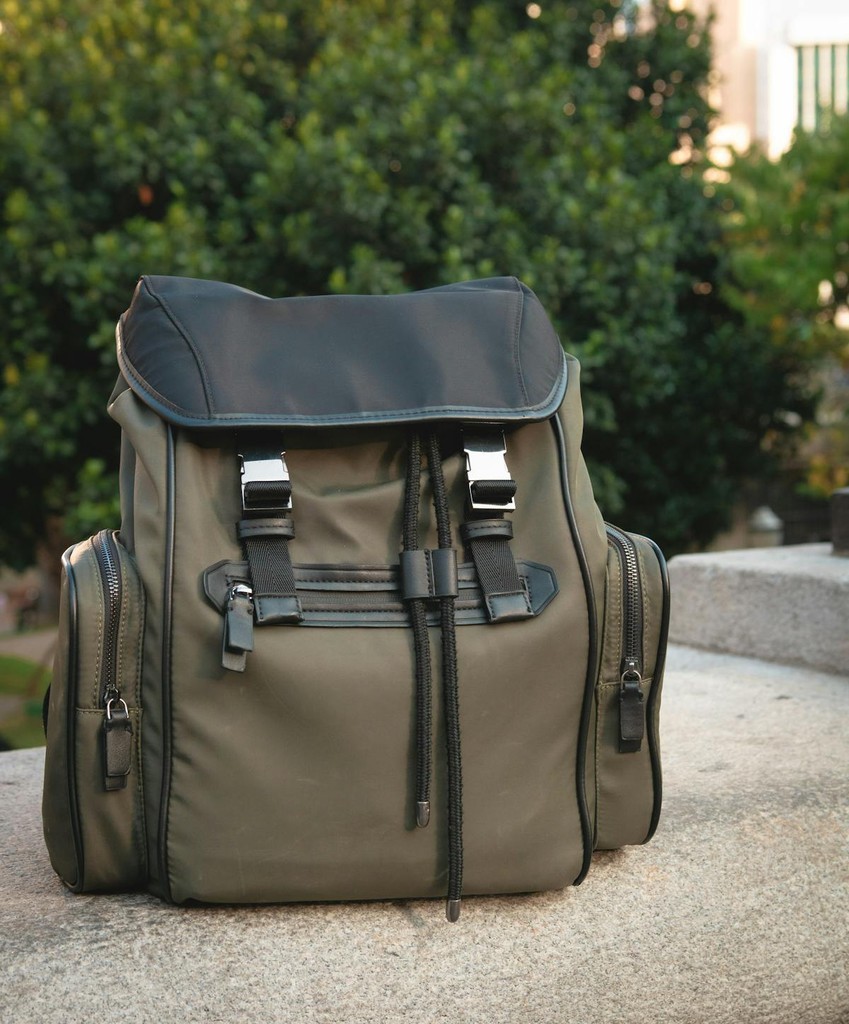 Before: Phone photo with messy outdoor background
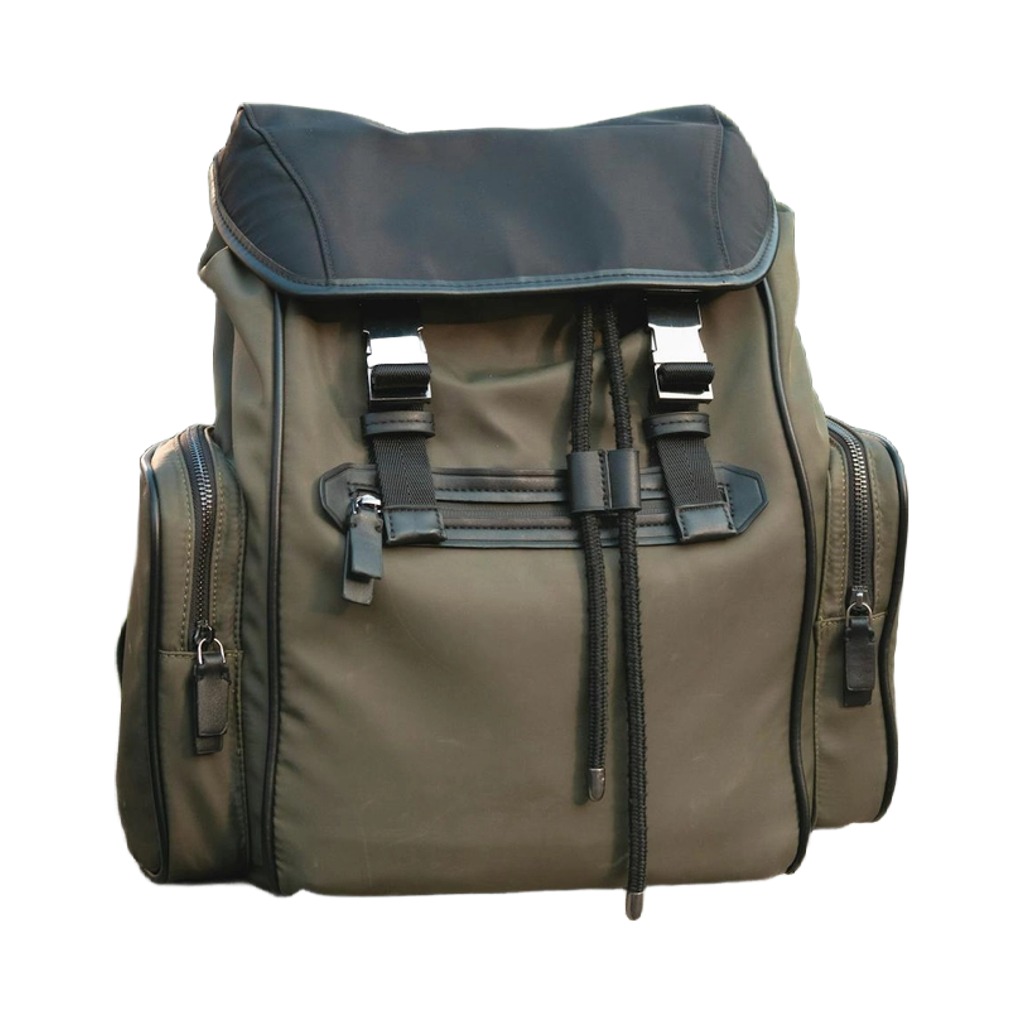 After: Clean white background, ready for Amazon listing
The background was removed by AI and the product was placed on a pure white (#FFFFFF) background — Amazon's main image requirement. This took about 10 seconds.
Pricing Comparison
Prices as of March 2026. May vary by region — check each tool's pricing page for current rates.
remove.bg
| Option | Price | Per Product |
|---|---|---|
| Free | $0 | Preview only (low-res) |
| 3 credits | $2.50 | $0.83 |
| 10 credits | $7.90 | $0.79 |
| 75 credits | $42 | $0.56 |
| 200 credits | $86 | $0.43 |
| Subscription 40/mo | $7.60/mo | $0.19 |
1 credit = 1 product (background removal only, HD). You still need to add a background yourself.
PhotoRoom
| Plan | Price | What You Get |
|---|---|---|
| Free | $0 | 250 exports/month, basic features |
| Pro | $12.99/mo | AI tools, 1000+ templates, batch (500/mo) |
| Max | $34.99/mo | Better AI models, 1,500 batch/mo |
| Enterprise | Custom | 200K+ images/year |
Subscription required for useful features. Check PhotoRoom's terms for commercial use on the free plan.
BgSwap
| Plan | Price | What You Get | Per Product |
|---|---|---|---|
| Free | $0 | 1 photo, 15 background previews (512px, watermarked) | Free |
| Starter | $4.99 | 10 products × 15 backgrounds = 150 images | $0.033 |
| Pro | $29 | 100 products × 15 backgrounds = 1,500 images | $0.019 |
One-time payment, no subscription. Output at 2048px resolution. Custom background color available (paid plans only).
Cost Comparison: 50 Products
Let's say you're a seller with 50 products that need clean background photos.
| Tool | Cost | What You Get | Additional Work |
|---|---|---|---|
| remove.bg (75 credits) | $42 | 50 transparent PNGs | You add backgrounds yourself |
| PhotoRoom (Pro) | $12.99/mo | 50 images with AI backgrounds | Select/adjust backgrounds per image |
| BgSwap (Pro) | $29 | 750 ready images (50 × 15 backgrounds) | None — download and list |
With remove.bg, you get transparent images. Adding backgrounds in Photoshop or Canva takes time — the exact amount varies by skill and tools, but it adds up at scale. PhotoRoom automates more of this but still requires per-image selection and adjustment. BgSwap outputs ready-to-list images with no additional editing.
Cost Comparison: 10 Products (Small Seller)
| Tool | Cost | What You Get |
|---|---|---|
| remove.bg (10 credits) | $7.90 | 10 transparent PNGs |
| PhotoRoom (Free) | $0 | 10 images with limited features |
| PhotoRoom (Pro) | $12.99/mo | 10 images + full features (subscription) |
| BgSwap (Starter) | $4.99 | 150 ready images (10 × 15 backgrounds) |
Feature Comparison
| Feature | remove.bg | PhotoRoom | BgSwap |
|---|---|---|---|
| Background removal | Yes, core feature | Yes, one of many | Yes, core feature |
| Background replacement | No (transparent only) | Yes, AI backgrounds | Yes, 15 presets + custom color (paid) |
| Output resolution | Up to 25MP | HD (paid) | 2048px |
| Custom colors | No | Yes | Yes (paid plans) |
| Drop shadows | No | Yes | Yes (optional toggle) |
| Product fill control | N/A (manual) | Limited | Yes (60%–95% slider) |
| Marketplace presets | No | No | Yes (Amazon, Etsy, Shopify, eBay, Instagram) |
| Batch processing | Yes (paid) | Yes (Pro+) | Yes (up to 100) |
| Templates | No | Yes, 1000+ | No |
| Virtual models | No | Yes (Pro+) | No |
| API access | Yes | Yes | No |
| Mobile app | No | Yes | No (mobile web) |
| Subscription required | Optional | Yes | No |
When to Use Which
Choose remove.bg if:
- You only need background removal (not replacement)
- You have your own editing workflow and just need transparent PNGs
- You process images occasionally and pay-as-you-go is convenient
- You need API access for integration into your own tools
Choose PhotoRoom if:
- You need a full photo editing suite, not just backgrounds
- You want AI-generated lifestyle backgrounds, virtual models, or templates
- You're willing to pay a monthly subscription for ongoing access
- You need advanced features like ghost mannequin or product staging
- You process high volumes (5,000+ images/month)
Choose BgSwap if:
- You want background removal + replacement done in one step
- You sell on Amazon, Etsy, or Shopify and need marketplace-compliant images
- You want 15 ready-to-use backgrounds without any editing
- You prefer a one-time payment over monthly subscriptions
- You need marketplace-specific output sizes (Amazon 2000px, etc.)
- You want control over shadows and product fill percentage
- You process 10–100 products at a time
Where BgSwap Falls Short (Honest Take)
No tool is perfect. BgSwap doesn't compete in these areas:
- No AI scene backgrounds. You get solid colors, gradients, and textures (marble, wood, linen, concrete, paper). If you need AI-generated lifestyle scenes (kitchen counter, living room), PhotoRoom is better.
- No API. If you need to integrate background processing into your own system, remove.bg or PhotoRoom have APIs.
- No mobile app. BgSwap works in mobile browsers, but PhotoRoom has a dedicated app with more features.
- No templates or editing tools. BgSwap does one thing. Text overlays, resizing, social media templates — look elsewhere.
- Lower max resolution. BgSwap outputs at 2048px. remove.bg supports up to 25MP (~5000×5000). If you need the absolute highest resolution, remove.bg wins here.
- Scale limits. The Pro plan handles 100 products. For 1,000+ products/month, remove.bg's subscription or PhotoRoom's Enterprise plan is better suited.
- Newer service. remove.bg and PhotoRoom have years of track record. BgSwap is new.
Verdict
There's no single "best" tool — it depends on what you need:
- Simplest path from photo to listing: BgSwap. Upload → 15 backgrounds → download → list. No editing, no subscription.
- Most flexible: PhotoRoom. Does everything, but costs more and requires learning the interface.
If you're an e-commerce seller who just wants clean product photos without fuss, try BgSwap free — 1 photo, no credit card. See all 15 backgrounds before you pay.
Related
- How to Remove Background from Product Photos for Free
- Batch Product Photo Editing — 100 Photos in 16 Minutes
- Amazon Product Photo Requirements 2026 — Complete Guide